
Features
Everything TradeVan does. Nothing gated behind a higher plan.
Every feature on this page ships on every plan — some on by default, some you turn on in Settings once your team hits the size that needs them. Nothing here is an upsell.
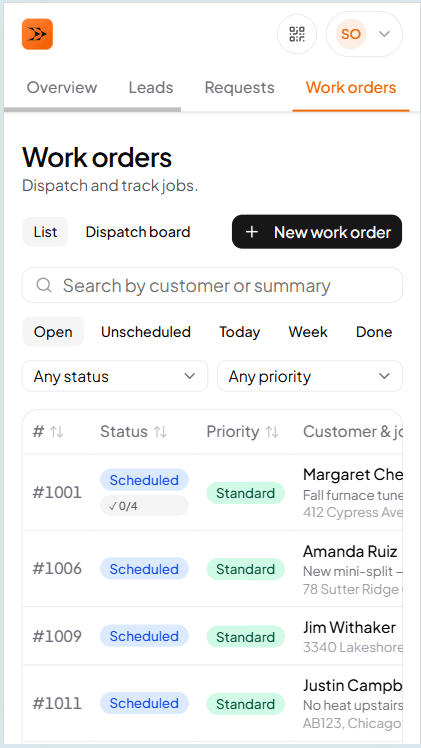
For the office
Run the day from the dispatch board
Dispatch grid, calendar, work orders, quotes, invoices, AMC, catalog, customers, reports, team chat — the office view is shaped like the job it's for. Everything an owner or office manager reaches for on a busy day is one nav click away.
For the office
What the owner and office manager touch every day. Every item below is included on the base plan.
Dispatch board
Techs are rows, jobs are blocks. Drag to reassign, drag to reschedule. Two dispatchers on the same board see each other's moves live.
Work orders
The record of a single service call — customer, equipment, tech, parts, labor, photos, signature, total. One screen for the whole job.
Calendar + scheduling
Day, week, month views. Drop jobs onto tech + slot. Per-tech working hours and days off respected on drop.
Quotes
Build a quote, email it as a magic link, customer accepts or declines online. Accepted quotes promote to a work order in one tap.
Invoices
Line items carry over from the WO. Send magic-link PDF. Mark paid when the money lands.
AMC — maintenance contracts
Templates, visit schedules, welcome and renewal emails. Auto-generates spring and fall PM visits on the calendar for the office to assign.
Customers + equipment records
Customer, service locations, and equipment as first-class records. Equipment carries make, model, serial, install date, warranty, and photos.
Catalog
Reusable parts and labor items with prices, costs, and default markups. Search from any WO / quote / invoice line.
Reports
Owner profitability, per-tech revenue, per-tech labor + travel hours, outstanding invoices. Month close-out PDF + CSV exports.
Team chat
Shared channel plus per-WO threads. Talk about a job right next to the job, not in a group SMS.
Multi-tech crew
Assign a primary tech plus helpers to a WO or appointment. Everyone in the crew sees the job on their calendar.
Multi-channel intake
Web form, magic-link, missed-call voicemail, and email land in the same inbox as a lead. Convert to WO or quote in one tap.
For techs
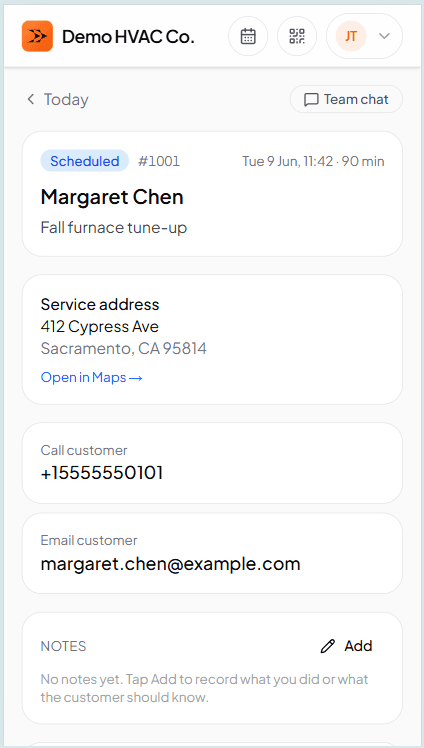
The whole work order on your phone, offline
Every screen a tech touches works with zero signal. Photos, signatures, checklists, line items, status transitions — all persist locally and sync when the truck rolls back into range. The tech doesn't have to think about it.
For techs
What a tech touches from the truck. Mobile PWA, offline-first, no separate app to install.
Mobile PWA
Install to home screen on iOS or Android. Feels native — push notifications, offline storage, full-screen.
Offline-first WO screen
Every write persists locally in SQLite and uploads on reconnect. The 'offline — will sync' badge is the only sign anything is different.
Camera photo capture
Opens in-panel — no app switch. Photos attach directly to the WO. Up to 20 per work order.
Photo annotation
Draw on a photo freehand to flag defects. Replaces the original in the photo list — the original stays safely stored, just no longer shown.
Signature capture
Customer signs on the tech's phone at close. Stored with the WO record as proof of completion.
Checklist
Per-job-type checklists — spring AC tune, fall furnace tune, no-heat diagnostic. Ticks persist offline.
Timers + status transitions
One tap for On the way / Arrived / Start / Done. Travel and labor minutes auto-derive on close — override-friendly.
Equipment history
Prior visits at this address, one tap away. Last tech, what they replaced, what they flagged for follow-up.
QR scanner
Scan a customer's portable equipment QR to see the unit's full history across shops — with the customer's permission.
Parts used
Pick from your catalog on the truck. Inventory decrements when the WO closes — if you have inventory turned on.
Notes
Internal notes for the shop, customer-facing notes for the invoice. Both offline-first.
Push notifications
New job assigned, WO reassigned, quote accepted — the phone tells you without opening the app.
For customers
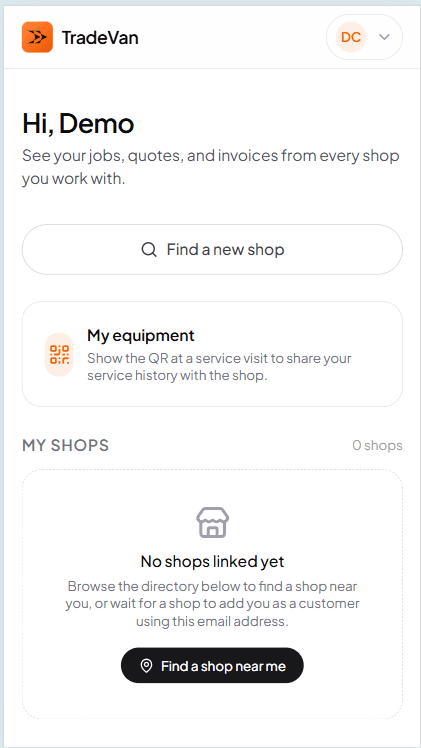
Send a magic link, or invite them into the portal
Quotes and invoices go out as magic-link emails — the customer taps and sees the PDF without creating an account. For repeat customers, an optional per-shop portal gives them a dashboard with their equipment, appointments, and history.
For customers
What your customers see. Two paths — light-touch magic-link viewer, or a full portal account they own.
Magic-link viewer (no account)
Every quote and invoice can go out as a magic-link email. Customer taps, sees the PDF, replies. No sign-up required.
Customer portal (with account)
Per-shop portal — customer creates an account with the shop, sees upcoming appointments, past invoices, and their equipment.
Portable equipment records
The customer owns the equipment history and can share it with the next shop they hire via QR.
Self-book
Public /shop/<your-slug> page can offer a self-book flow. Customer picks a slot; the booking lands in your Requests inbox.
Photo attach on requests
Customer can attach up to 5 photos when submitting a service request, so the office sees what they're looking at.
Two-way chat on magic links
On any magic-link surface (quote, invoice, request), the customer can send a message that lands in the shop's inbox next to the job.
Built in
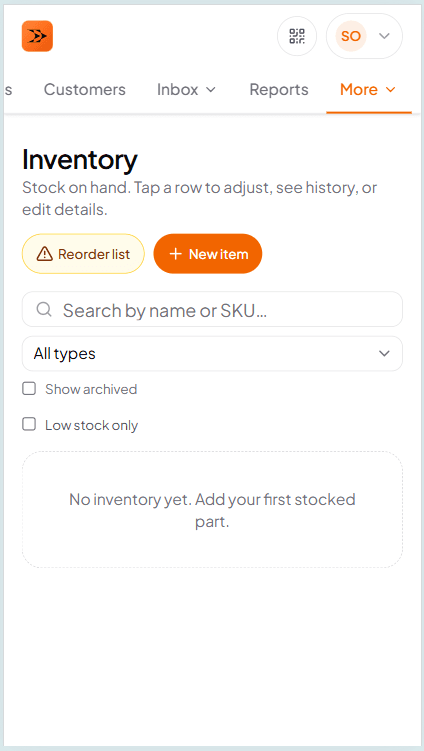
Inventory, calendar, messaging — already on
No toggles to hunt for. Every plan includes these, switched on from day one. A few need a quick setup — your shop hours, a connected WhatsApp number — and each has a guide.
Built in
Included in every plan and already on. The AI and phone add-ons are the only paid extras.
Inventory + Vendors
Stock levels per item, low-stock alerts, supplier-grouped reorder view, and purchase orders. Parts logged on a work order come out of stock.
Calendar + dispatch
Week view, per-tech availability overrides, time off, and an attendance roll-up. Customers can book a live open slot from your public shop page, or just ask for a preferred time — your choice.
One requests inbox
Every way in — web form, shop page, bookings, SMS, WhatsApp, email, missed calls with voicemail, AI calls — lands in one Requests inbox, with auto-replies, lead follow-ups and a funnel report.
Messaging channels — WhatsApp + SMS
Bring your own WhatsApp or Twilio account. Customers reply, replies land in TradeVan next to the job. TradeVan takes no cut of the messaging.
Discovery — public shop page
A public /shop/<your-slug> page with services, AMCs, offers, gallery, and hours. Put it on a truck decal, business card, or Google Business Profile.
After-hours pricing
Automatic labor + service multiplier on jobs scheduled outside business hours, plus optional flat callout fee. Set your policy in Business Profile when you want after-hours jobs priced automatically.
Route optimizer
'Suggest route' on the dispatch board — nearest-neighbour visit order for today's jobs. View-only suggestion; you decide whether to reorder.
Photo markup
Draw on a photo freehand to flag defects. Replaces the original in the photo list — the original stays safely stored, just no longer shown.
TradeVan Phone Number
A dedicated phone number for your shop, managed by TradeVan — no separate carrier account needed. Every missed call becomes a lead automatically, plus SMS on the same number. The infrastructure the two AI add-ons below build on. $29/mo paid add-on.
AI Assistant
One assistant, two places: inside TradeVan it answers your staff's questions and makes changes for them — creating customers, quotes, work orders, invoices, and inventory adjustments, previewed and confirmed before anything saves, plus bulk CSV upload for larger batches. On your public shop page, the same assistant answers visitor questions and can take down a service request. This is the chat door to TradeVan's AI; AI Voice is the phone door. $49/mo paid add-on.
Public shop assistant
The public-facing half of AI Assistant above — a chat widget on your /shop page that answers visitor questions from your own published services, hours, and current offers, never your customers', jobs', or financial data. Same add-on, not a separate purchase.
AI Voice Assistant
The AI Assistant above, now answering your phone: it picks up every call to your AI line (forward the calls you miss to it, or make it your main number) and has a live conversation using the same knowledge of your services, hours, and offers, and takes down a request for your office — never books a confirmed appointment itself. The phone door to the same AI brain — sold separately, so you don't need AI Assistant to use it. Requires a connected phone number (the TradeVan Phone Number add-on above, or your own Twilio account). $59/mo paid add-on.
Included on every plan
The plumbing that makes everything else work — same on the $29 base plan as on the 25-tech account.
Offline-first on every screen
PowerSync + local SQLite means the office desktop and the tech phone both keep working with no signal. Writes replicate on reconnect.
Real-time updates
Two office managers on the same dispatch board see each other's moves live. Tech marks Arrived, the office sees it.
Push notifications
Standard web push on iOS and Android. New job, quote accepted, invoice paid — the phone tells you.
Data export
Download every table as CSV inside a ZIP whenever you want. Your data is your data.
Every report
Owner profitability, per-tech revenue, month close-out PDF, outstanding invoices — same reports on the $29 plan and the 25-tech plan.
Support from a real engineer
The person answering your question is a person who wrote the code. No tiered support queues.
What's not on this page
Nothing that isn't shipped yet. This page is the honest list of what the product does today. If it isn't here, it isn't in the box — no vaporware, no aspirational bullets. Some things we're working on (customer payment routing, richer inventory purchase orders, EU expansion) will show up here when they ship.
Frequently asked questions
Try TradeVan free for 21 days.
No card required. Every feature on this page, on every plan.