
Dispatch
Dispatch software that keeps up with a fire-drill day.
Drag a job onto a tech. Their phone rings before you close the tab. When the 2 PM call turns into a warranty callback, you reshuffle in seconds and every tech's day updates instantly.
The dispatch board you actually need
Most HVAC dispatchers run their day from a whiteboard or a spreadsheet. When the 2 PM to Mrs. Jenkins turns into a 90-minute warranty compressor swap, everything shifts — and that ripple goes to every tech via phone, text, and shouted hallway updates. By 4 PM the whiteboard is a smear and one tech is on a job they thought was cancelled.
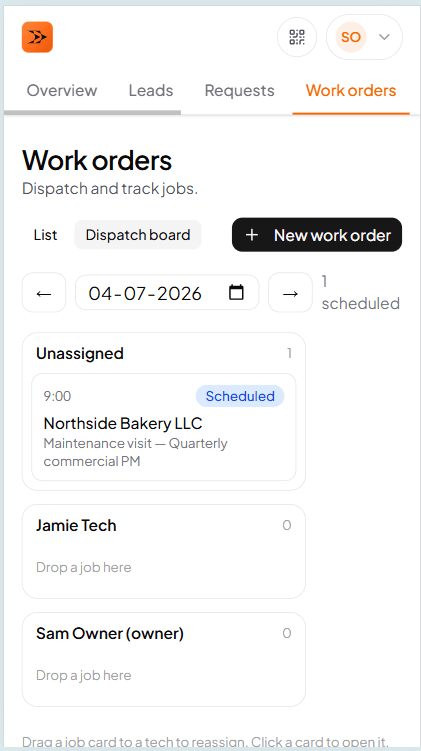
TradeVan puts every job, every tech, and every open slot on one screen. Drag a job from one tech's row to another and push notifications fire to both — the old tech's phone updates so they don't drive to the wrong address, the new tech's phone updates so they see the job before finishing their coffee.
Dispatch view
Every job, every tech, every open slot — one screen
See who's booked, who's free, and where the day's fire drills are. Drag onto a tech's row and they get a push notification before you close the tab.
Tech view
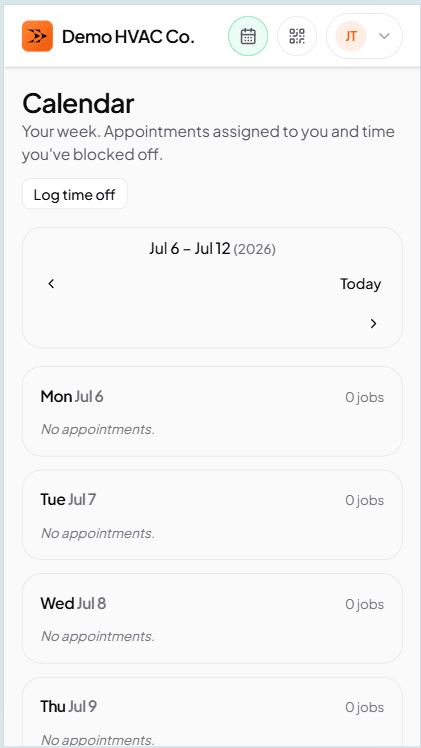
The tech's day, sorted by scheduled time
Today's jobs on the tech's phone. Tap in for the whole work order. Every status button — On the way, Arrived, Start, Done — records instantly and syncs when signal returns.
Multi-tech, emergencies, on-call — the HVAC specifics
A new-unit install with a helper needs both techs on the same job for the same window. TradeVan handles primary + helper assignments on one WO; the board shows it on every assignee's row and push notifications fire to the whole crew. It's 12°F outside and Mrs. Jenkins has no heat — emergency priority is a first-class WO type, it drops onto any tech's slot with a one-click override on the conflict warning.
After-hours coverage rotates across techs weekly. TradeVan tracks the rotation on the calendar and routes emergency callouts to whoever's on. After-hours pricing (multiplier + callout fee) snapshots onto the job so billing is right without a manual adjust.
Scheduling
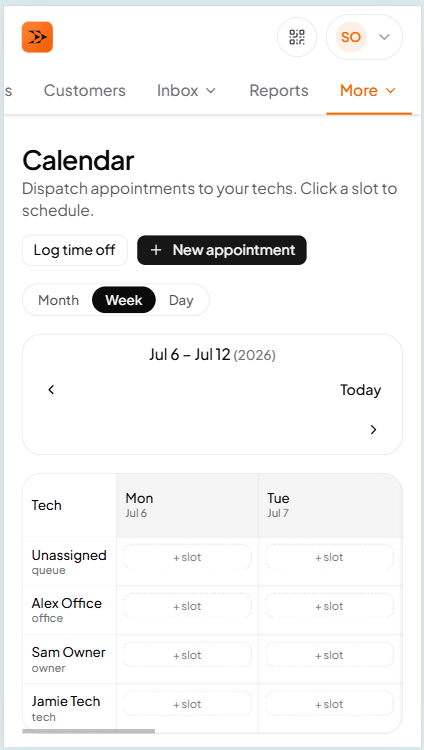
Tech availability, on-call, closed dates
Set each tech's working windows, on-call rotation, and time off once. The board reads it. Drop a job into a slot the tech is off and TradeVan warns before you commit.
How scheduling works →Frequently asked questions
Try TradeVan free for 21 days.
Sign up with email. Run tomorrow's schedule off the dispatch board. No card required.