
Work orders
HVAC work order software built for solo and small HVAC shops.
Open a work order in the office, run it from the truck — offline in basements, online at the shop — and close it with a signature. The invoice generates itself.
What a work order actually looks like in TradeVan
Every HVAC job has the same seven pieces: a customer, an address, a specific piece of equipment, a problem, a technician, parts and labor consumed, and a final price. TradeVan puts all seven on one screen. The office sees it. The tech sees it. Accounting sees it. No one has to reconcile three different systems at the end of the week.
The lifecycle is deliberately narrow: created → scheduled → on the way → arrived → in progress → done → invoiced. Each transition stamps a timestamp on the work order automatically, which is where the labor and travel minutes come from. Nobody fills in a timesheet.
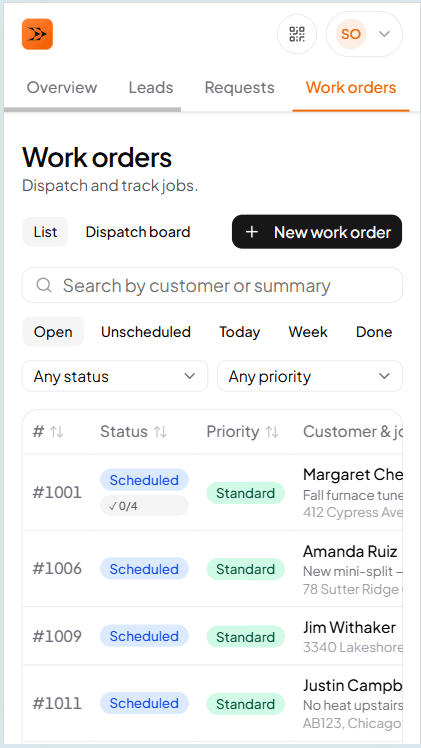
Office view
Every job on one screen, sorted the way you actually work
Filter by tech, by status, by date. Open a work order and the whole job is there — customer, location, equipment history, checklist, photos, timeline, line items, invoice. No hunting through tabs.
On the truck
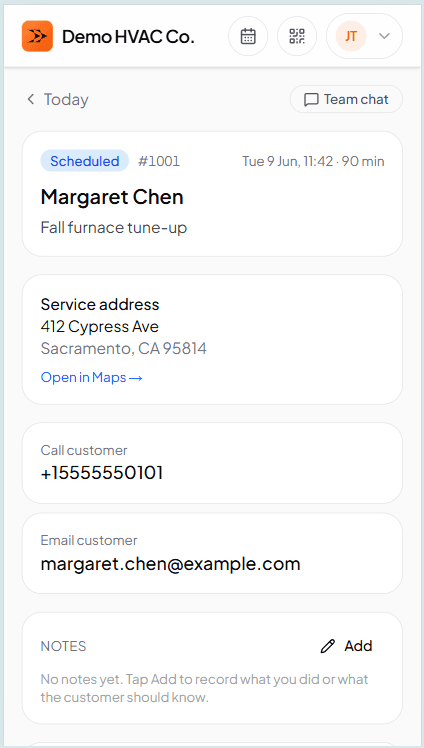
The tech's phone shows the whole job in one scroll
Today's assignments, sorted by scheduled time. Tap a job — customer, address, equipment at that location, checklist for the job type, photos, notes, line items. Camera-in-panel photo capture. Signature pad. One-tap status transitions. Every screen works offline.
Equipment is a first-class record, not a free-text field
The furnace, condenser, or air-handler at each address is its own record — make, model, serial, install date, warranty end, photos, and notes — attached to the service location so the tech opening a WO sees the unit in front of them, not a text blob in the customer profile. Prior visits at that address are one tap away: last tech, what they replaced, what they flagged for follow-up.
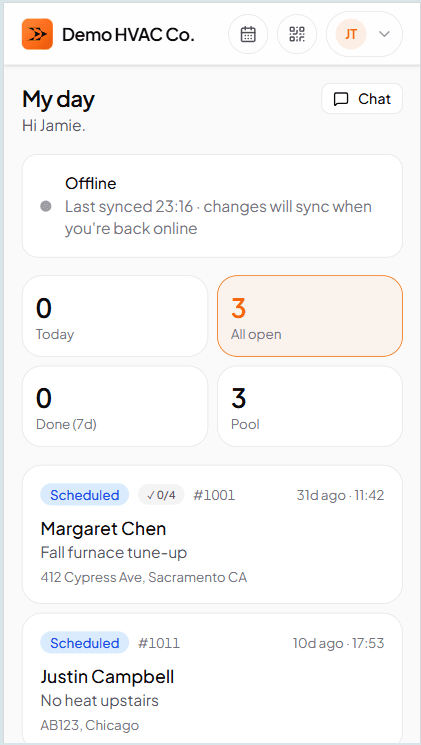
Offline reality
The 'offline — will sync' badge is the only sign anything's different
Photos capture. Signatures sign. Line items add. Status transitions record. When the truck rolls back into signal, the badge disappears and changes replicate. The tech never has to think about it.
How offline sync works →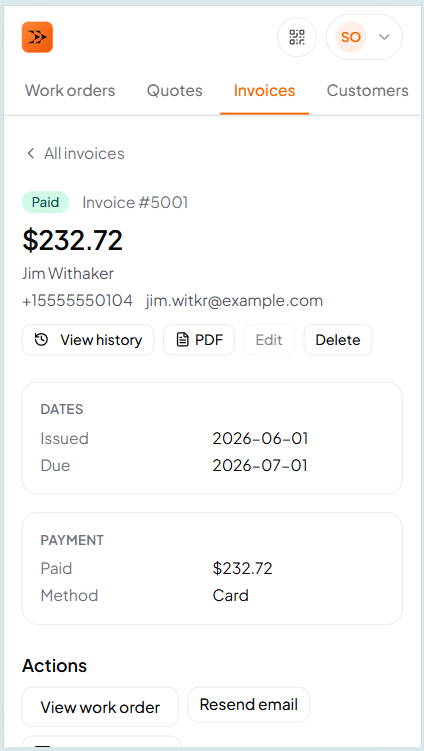
At close
Line items become the invoice in one tap
The tech marks Done. Everything on the WO — parts, labor, notes — is already in the right shape for billing. Office reviews, applies tax, sends. The customer clicks their magic-link email and pays. TradeVan takes zero cut of the payment.
Frequently asked questions
Try TradeVan free for 21 days.
Sign up with email. Run your first real work order in 10 minutes. No card required.