
Field service management
HVAC-first FSM software for small businesses.
TradeVan is a field service management platform built specifically for HVAC shops with 1–25 techs. If you're HVAC, the defaults fit on day one. If you're not, we'll tell you before you spend 21 days trialing.
Why HVAC-specific matters (and when it doesn't)
A generic FSM tool treats a plumber, an HVAC tech, an electrician, a locksmith, and a landscaper as the same job with different words. It works — the mechanics of dispatching a person to an address and closing a work order are similar — but the model doesn't quite fit any of them. Every shop tunes the defaults, and every shop lives with a small pile of mismatches forever.
TradeVan skipped the generic layer. Equipment types are HVAC (furnaces, condensers, mini-splits, water heaters, boilers, RTUs). The catalog templates ship with the SKUs a real HVAC truck carries — capacitors at common ratings, contactors, 24V transformers, PSC and ECM blower motors, hot-surface igniters, flame sensors. PM plans model the semi-annual tune-up wave. After-hours pricing is a first-class concept because HVAC no-heat calls at 10 PM happen every winter.
The trade-off is real. If you run a plumbing shop, the equipment types don't match. If you run a landscaping crew, there is no PM plan template for lawn care. Use a generic tool. If you run an HVAC business, TradeVan fits day one.
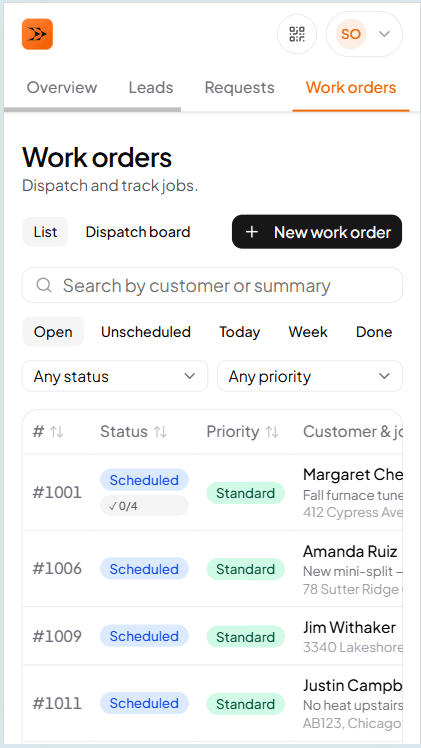
Office view
Every job on one screen, sorted the way an HVAC shop actually works
Filter by tech, by status, by date, by customer. Open a work order and the whole HVAC-shaped job is there — customer, service location, equipment installed at the site, per-job-type checklist, photos, timeline, line items, invoice.
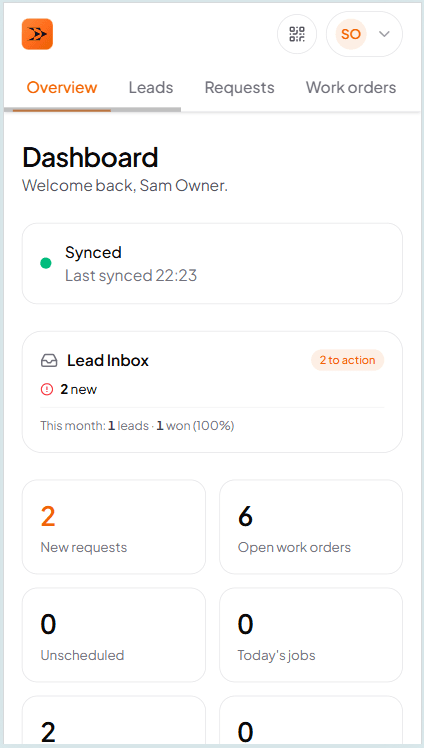
Owner view
How the shop is running, at a glance
Open work orders, revenue this month, outstanding invoices, jobs needing collection follow-up. The owner dashboard is where the day starts — no report to run, no filter to apply.
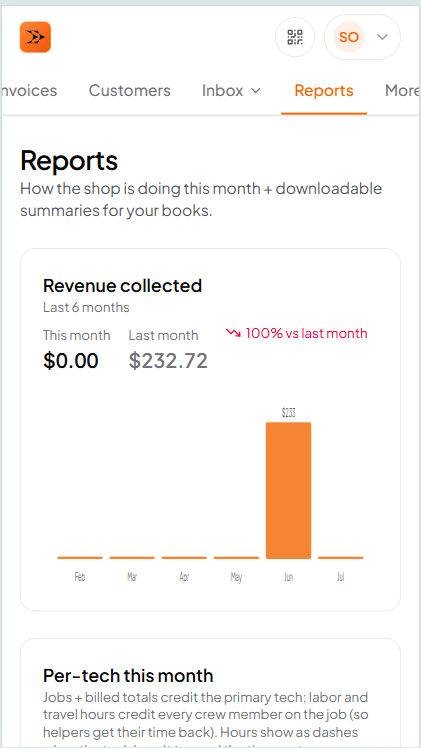
Reports
Per-tech revenue, month close-out, CSV export
Reports pivot straight off the timestamps your techs stamped when they hit Arrived and Done. No separate timesheet, no data entry on Friday evening. Per-tech revenue, per-tech utilization, month close-out PDF for the owner's book.
Frequently asked questions
Try TradeVan free for 21 days.
If you're HVAC, the defaults will fit in the first 10 minutes. If they don't, don't pay us.