
Offline
Every write path works with zero signal.
Basement furnaces, crawlspace air handlers, mechanical rooms with concrete walls, rooftop RTUs in dead zones — half a tech's day is in the places software stops working. TradeVan is built for those places.
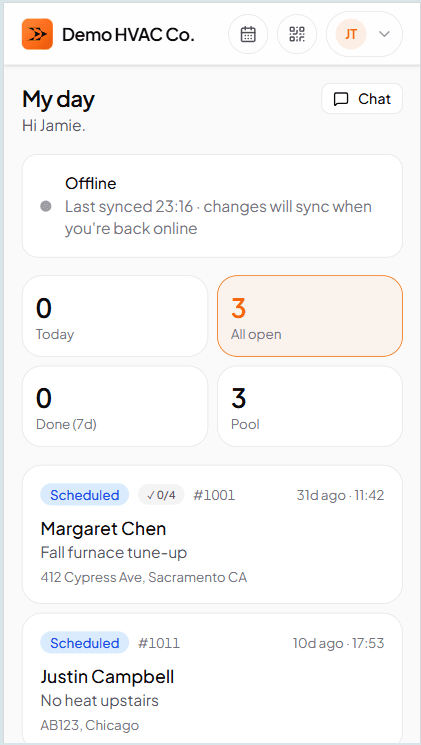
What offline actually looks like
The 'offline — will sync' badge is the only sign
Everything else looks the same as online. Photos capture. Signatures sign. Line items add. Status transitions record. When the truck rolls back into signal, the badge disappears and the changes replicate to the server. No 'offline mode' toggle, no 'sync now' button.
Why the architecture matters, and why it's rare
Most 'offline-capable' field-service tools mean the app doesn't crash when the network drops — you can view a job, and if you're careful, a small buffer holds your edits until the network comes back. That's not offline. That's 'we cached a page.' Come back an hour later and you're staring at a spinner.
TradeVan's tech-side is genuinely local-first. The phone runs a full SQLite database that is the source of truth for the tech's day. Every read and every write goes there first. A sync layer (PowerSync) replicates changes to the server-side Postgres whenever there's a connection. If the phone spends four hours in a basement, everything the tech did is on the phone; when they surface, the whole burst replicates in seconds. Nothing is stashed in a fragile browser buffer waiting to be lost.
The difference matters most in the places you can't test in a conference room — parking-garage subbasements, high-rise mechanical rooms, rural cell dead zones. Cloud-only tools spin. TradeVan doesn't.
On the truck
No perceptible difference from online
The tech's phone runs the whole work order locally. Every action — status buttons, photos, checklist ticks, notes — writes to the phone's SQLite database instantly. The UI has no lag, no timeout, no 'please reconnect' modal.
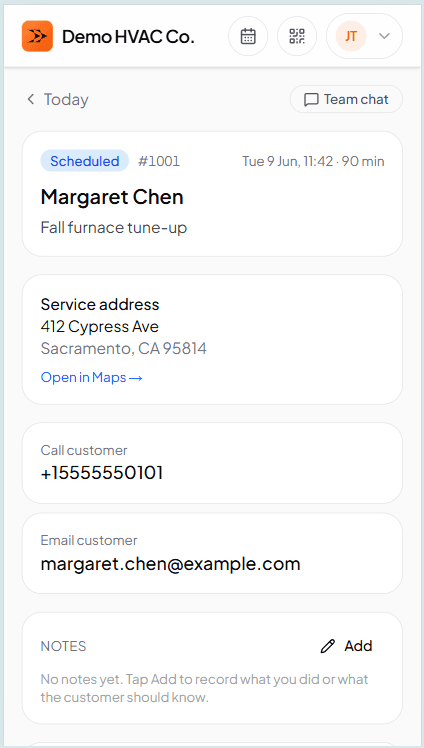
What survives if the phone dies mid-job
Local writes persist to SQLite the moment they happen. Closing the app, backgrounding it, letting the battery drain, or dropping the phone on concrete doesn't lose anything. When the app opens again and hits signal, the queued changes upload in order. This is the same durability model that runs banking apps and shared document editors — it's not a hobby-project offline mode.
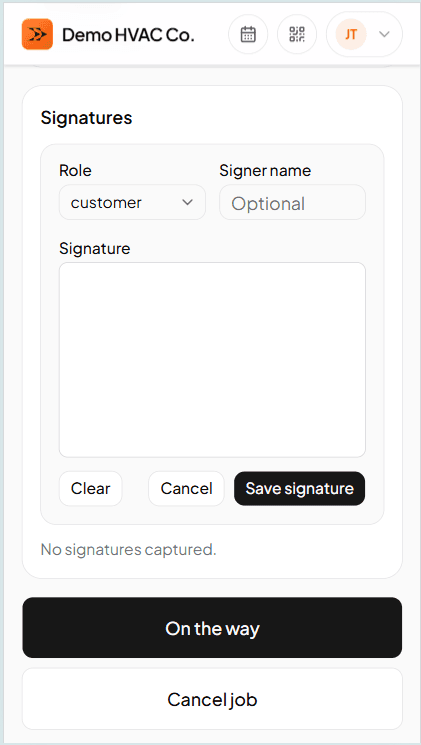
Even signatures
Customer signs on the tech's phone, no signal required
The signature pad captures locally as a PNG. It's attached to the work order the moment the customer lifts their finger. When the truck rolls into signal, the signature uploads with everything else — the office sees it on the WO record as proof the job was accepted.
What a work order looks like →Frequently asked questions
Try TradeVan free for 21 days.
Test it in a basement. If it doesn't work there, don't pay us. No card required.