
Solo contractors
HVAC software for the one-person shop.
You're the owner, the dispatcher, the tech, and the office. TradeVan collapses all four jobs into one tool — priced $29/month because that's what a solo contractor should pay for software, not $150.
You're already running a 5-person shop. Alone.
The tasks don't shrink because the team is one. You still route your day (dispatch), run the job (work orders), track the customer's furnace install history (customer + equipment records), book the next visit (scheduling), collect on the last one (invoicing), and remember to file the PM tune-up reminder for the Jenkins family in September. That's five roles.
TradeVan puts all five on one tool. The mode is simpler than a 5-tech shop because there's no team to coordinate, but the whole feature tree is there. When you grow to a helper next year, the platform grows with you — no migration.
Your day
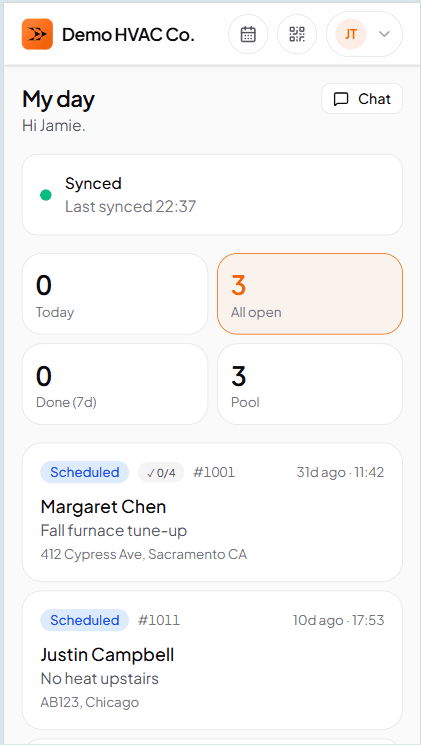
Today's jobs, sorted by scheduled time
Open the app in the truck. See what's next. Tap in — customer, address, equipment history at that location. Roll out. No calendar to check on a laptop back at the shop, because there is no laptop back at the shop.
At the job
Run the whole work order from your phone
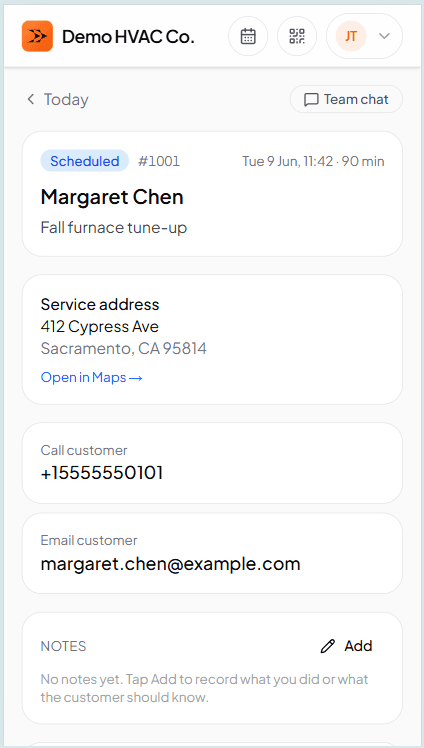
Customer, equipment, checklist, photos, notes, line items. Camera-in-panel photo capture. Signature pad. One-tap On the way / Arrived / Start / Done. Every screen works offline for the basements.
No evening desk time
You marked the job Done in the driveway. Line items were already on the work order because you added parts and labor while you were there. Tap Send — the customer gets a magic-link email with the PDF attached. You drive home. Nothing sits in your evening to-do list.
This is the pattern for a solo shop: fewer moments of 'evening admin,' more moments of billable work. TradeVan is built for that shape.
Getting the invoice out
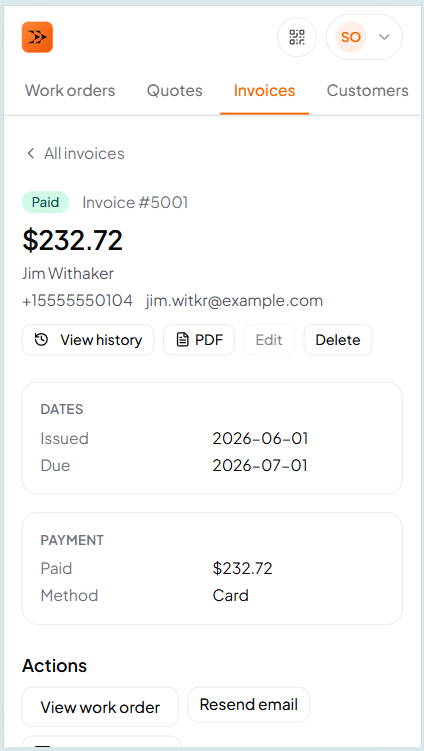
Customer taps their email, sees the PDF
No account creation on their side. No app install. They pay through whatever method you already use — TradeVan doesn't route the money or take a cut. When it lands in your account, mark it paid on the invoice screen.
Frequently asked questions
Try TradeVan free for 21 days.
Sign up with email. Run tomorrow's schedule off your phone. No card required.